


How to record the entire computer screen through Bandicom Screen Recorder Software?
Open Google search engine in any browser in your system.
Type “download Bandicom “
Download Bandicom from the official website (https://www.bandicam.com/downloads/).
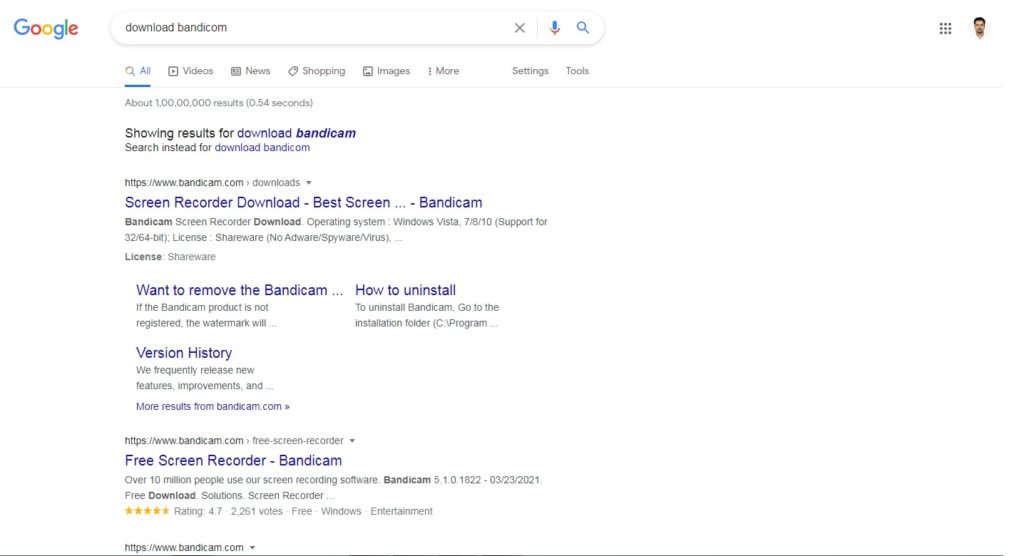


Click on https://www.bandicam.com/downloads/BDCAMSETUP_ENG.EXE.php
Click on start button-all programs-Bandicom-Bandicom icon files.
Choose the ‘Rectangle on a screen’ mode.
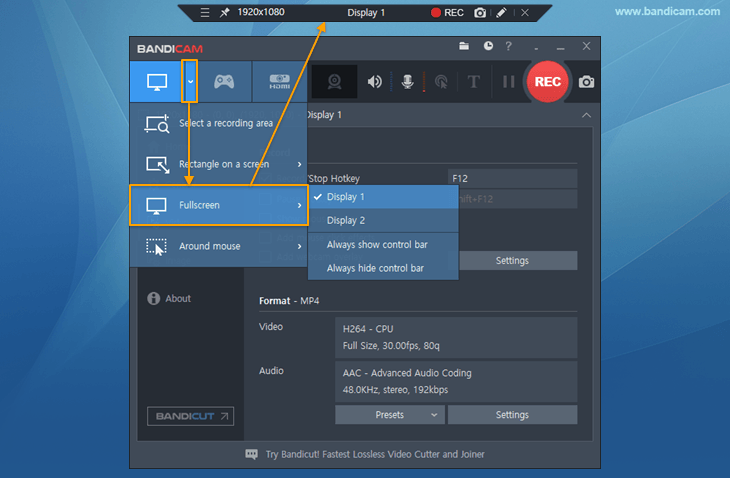
Click the ‘● REC‘ button or press the hotkey (F12) to start/stop the recording.

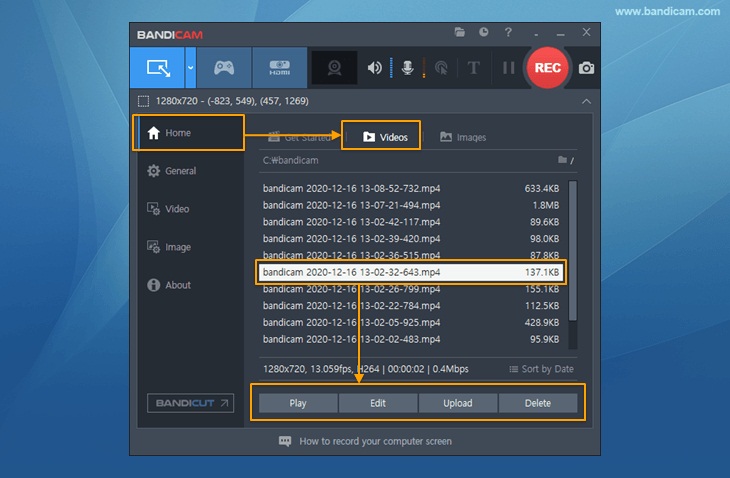
Go to ‘Home -> Video’ to play, edit or upload the captured videos.
Thanks and Enjoy software.





trailgorafe.com
I used to be able to find good info from your content.

depo 30 bonus 30
Wonderful article! We will be linking to this particularly great post on our site.
Keep up the great writing.










2 comments